

Key Features
- The ultimate composition, practise and learning suite for guitar players
- Host of learning tools including chord and scale library, looper, metronome and more
- Realistic sound engine and performance notation offers accurate tablature playback
- Compose traditional scores with comprehensive notation elements
- Virtual instruments provides graphical representation of notes for visual learning
Arobas Guitar Pro 8 Overview

Arobas Guitar Pro 8 is the most comprehensive learning, composition and practice tool available for guitarists and musicians. Complete with everything you need to learn your favourite artist's music, compose your own or help improve your technique, Guitar Pro 8 features unrivalled notation and scoring features, audio input capabilities with realistic sound engines and comprehensive learning skills such as chords and scales.
Boasting a myriad of new features, Guitar Pro 8 lets you unleash your creativity. Improved notation lets you adjust each note in your score individually while an all-new Command Palette lets you access virtually any command via a handy search bar, you can supercharge your editing speed to finish compositions quicker. A newly introduced pedalboard mode allows you to customise your sound engine and an all-new drum mix and Focus control let you quickly dial in optimal listening levels to hear your part more clearly. All of these new features are packed within improved performance and compatibility with Mac M1 devices, making Guitar Pro 8 the most comprehensive notation software to date.
Product Ref: 225448
Full Description
View Full DescriptionWhat's new in Guitar Pro 8
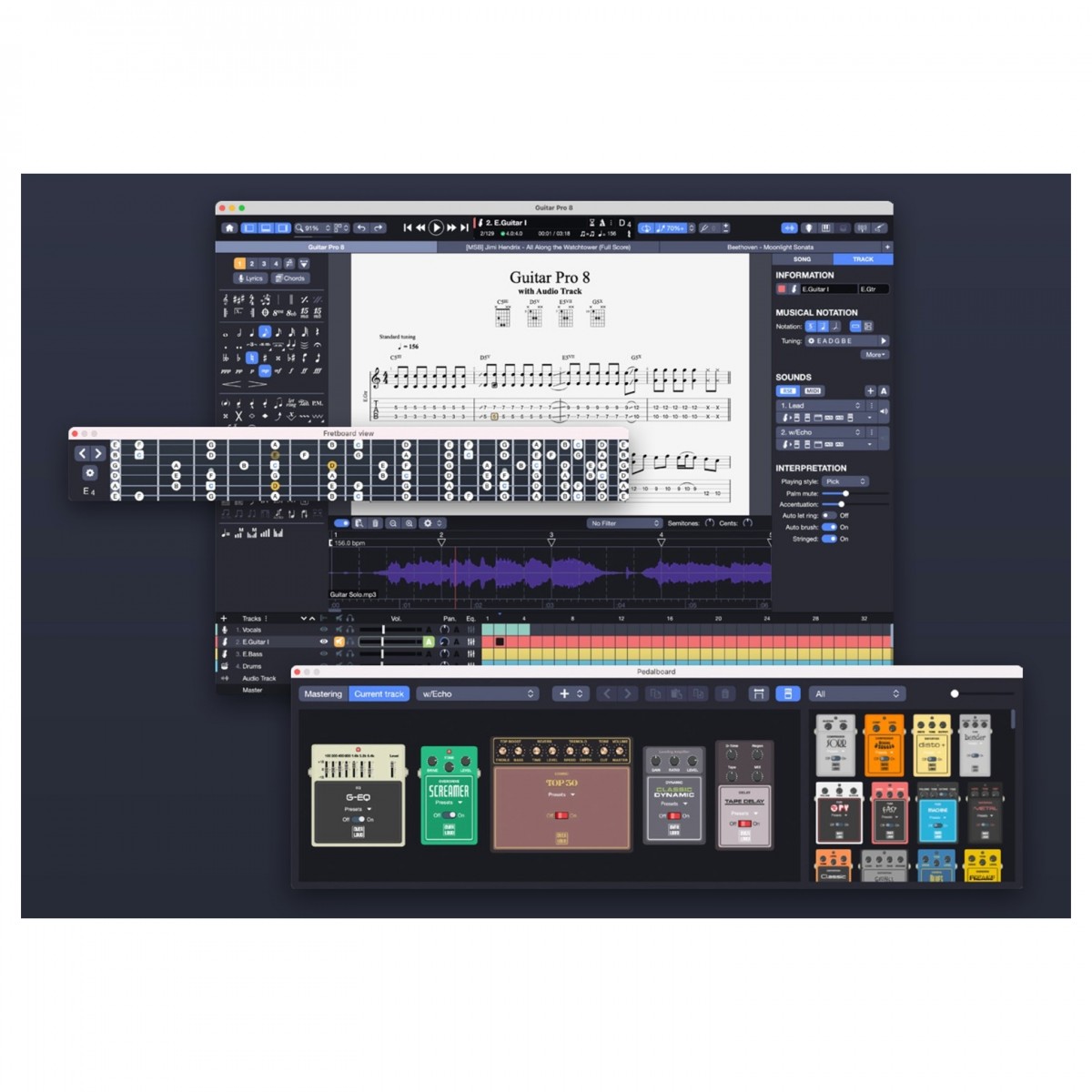
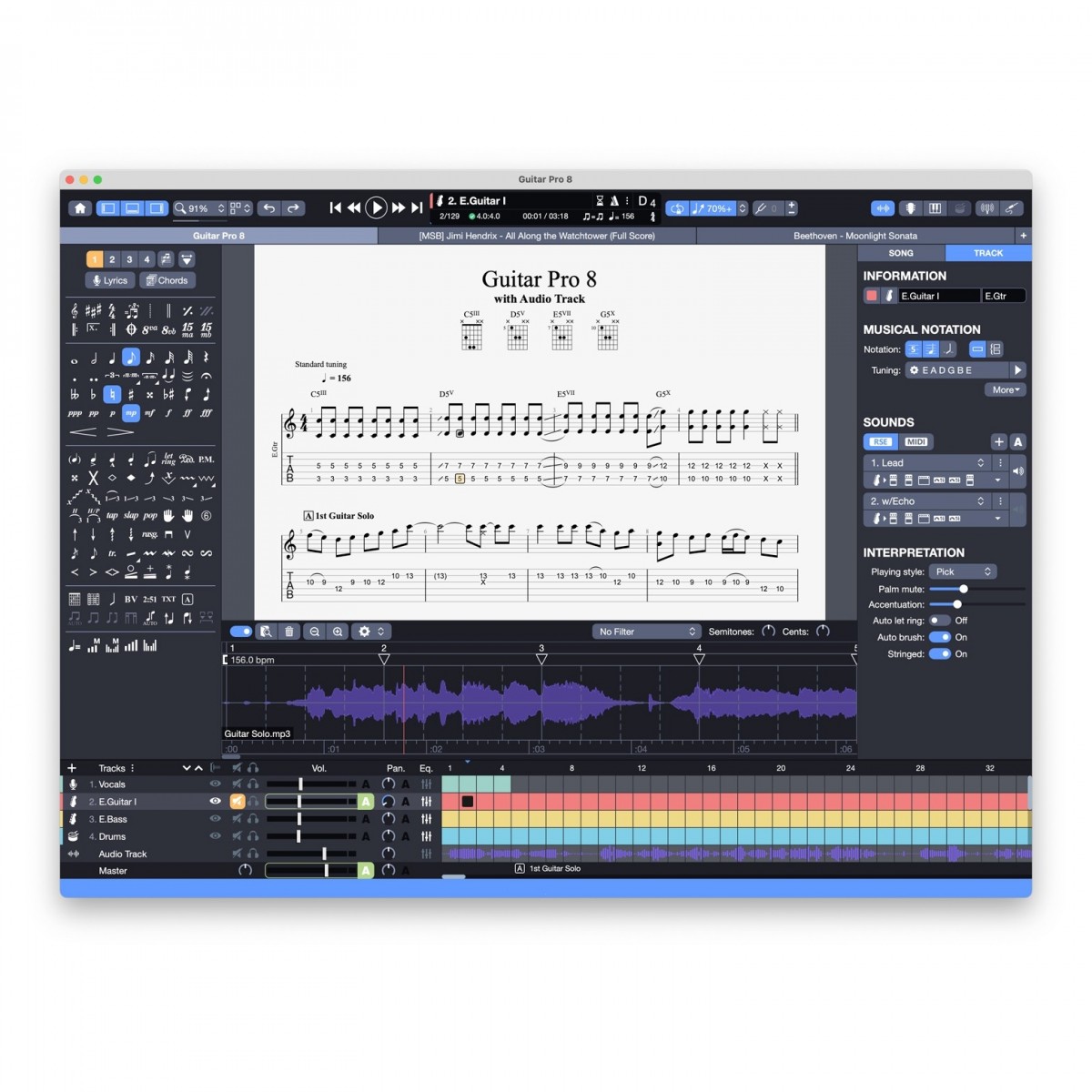
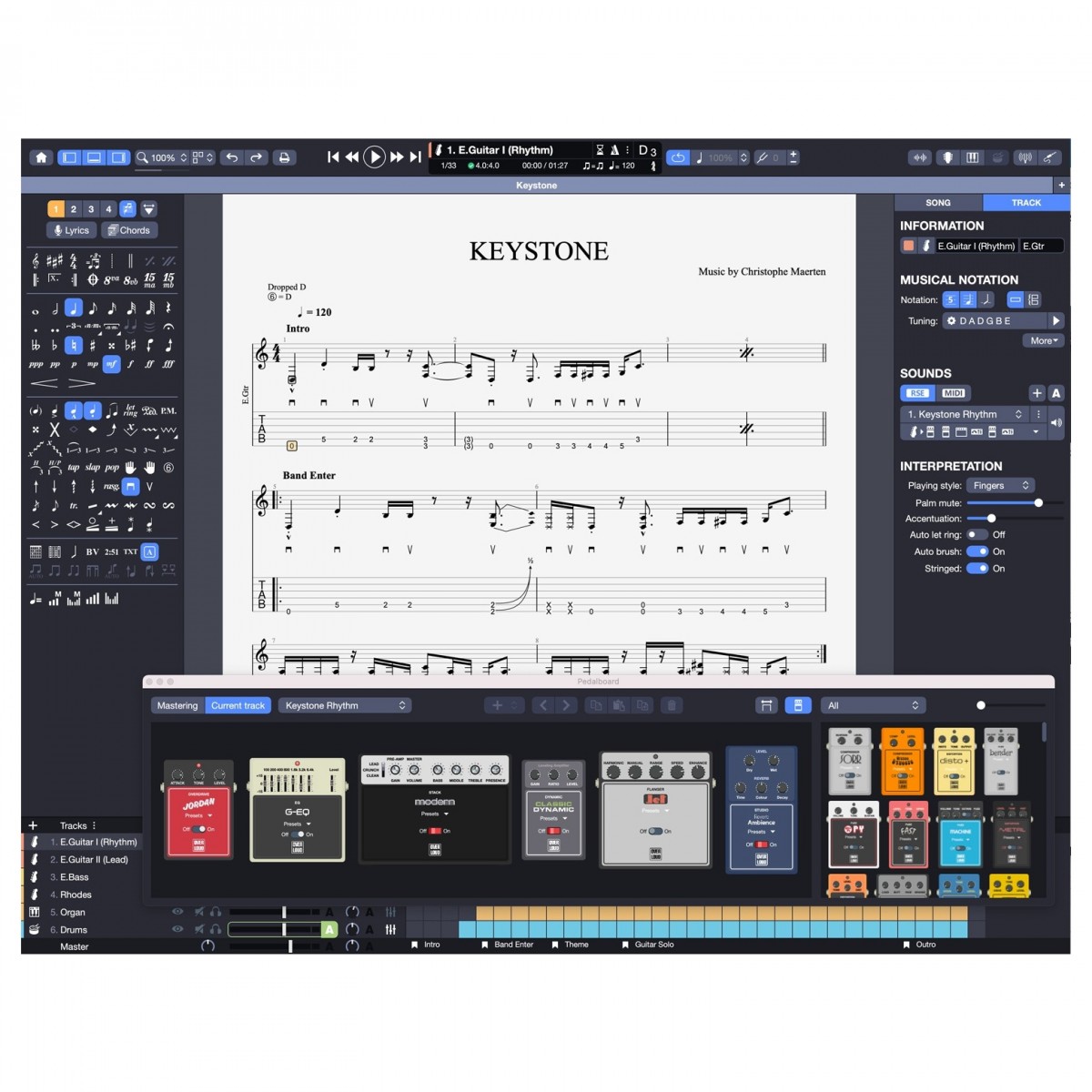
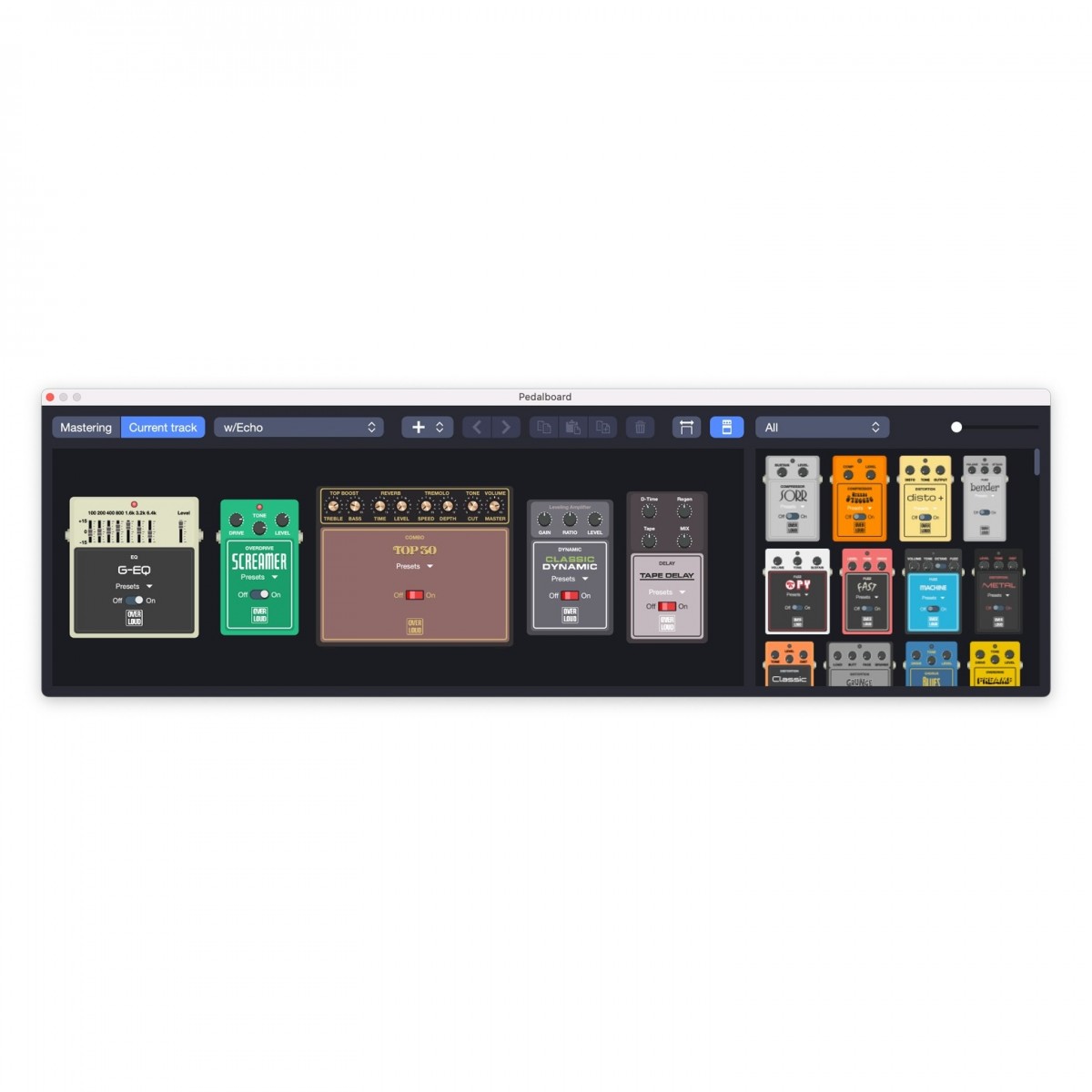
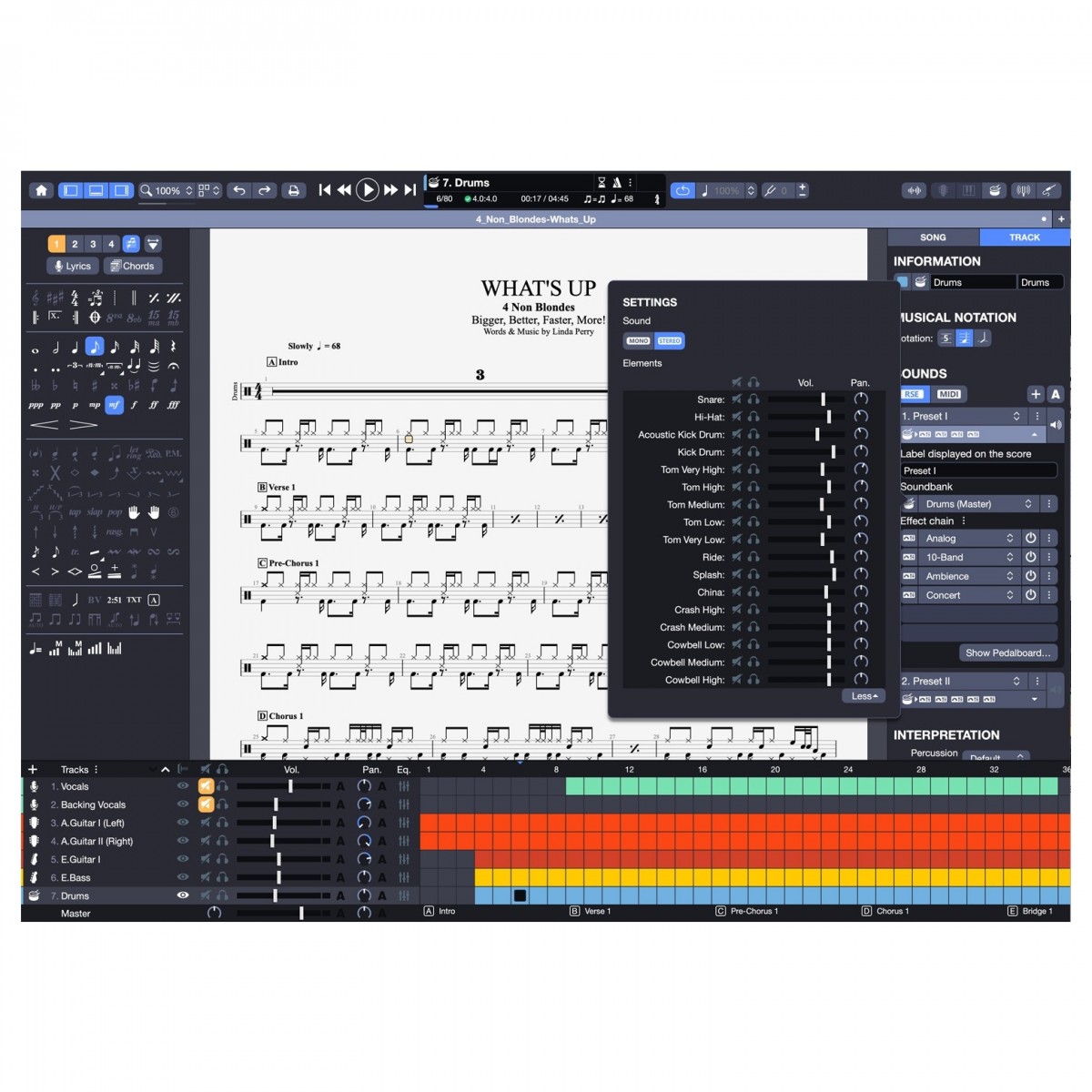
Continuously pushing the envelope, Guitar Pro 8 features a slew of improvements as well as new features to give you the best and most fluid notation experience possible. Newly implemented, you can import audio tracks into Guitar Pro 8, allowing you to have an audio reference to help with notation or to simply use as a vocal melody or backing track over your performance. Not the only performance improvement, Guitar Pro 8 introduces a new Pedal Board view, offering the chance to create customised sound banks by rearranging virtual pedals to create the sound that inspires you. For more detailed listening to specific aspects of your performance and notation, you can mix the individual elements of your drum kit to adjust the pan and volume, helping you hear the parts you need more clearly. In addition to this, a new Focus dial quickly lets you boost or cut the volume of a certain track to create more or less emphasis on it, helping you to alter the balance of your mix to hear your part more clearly.
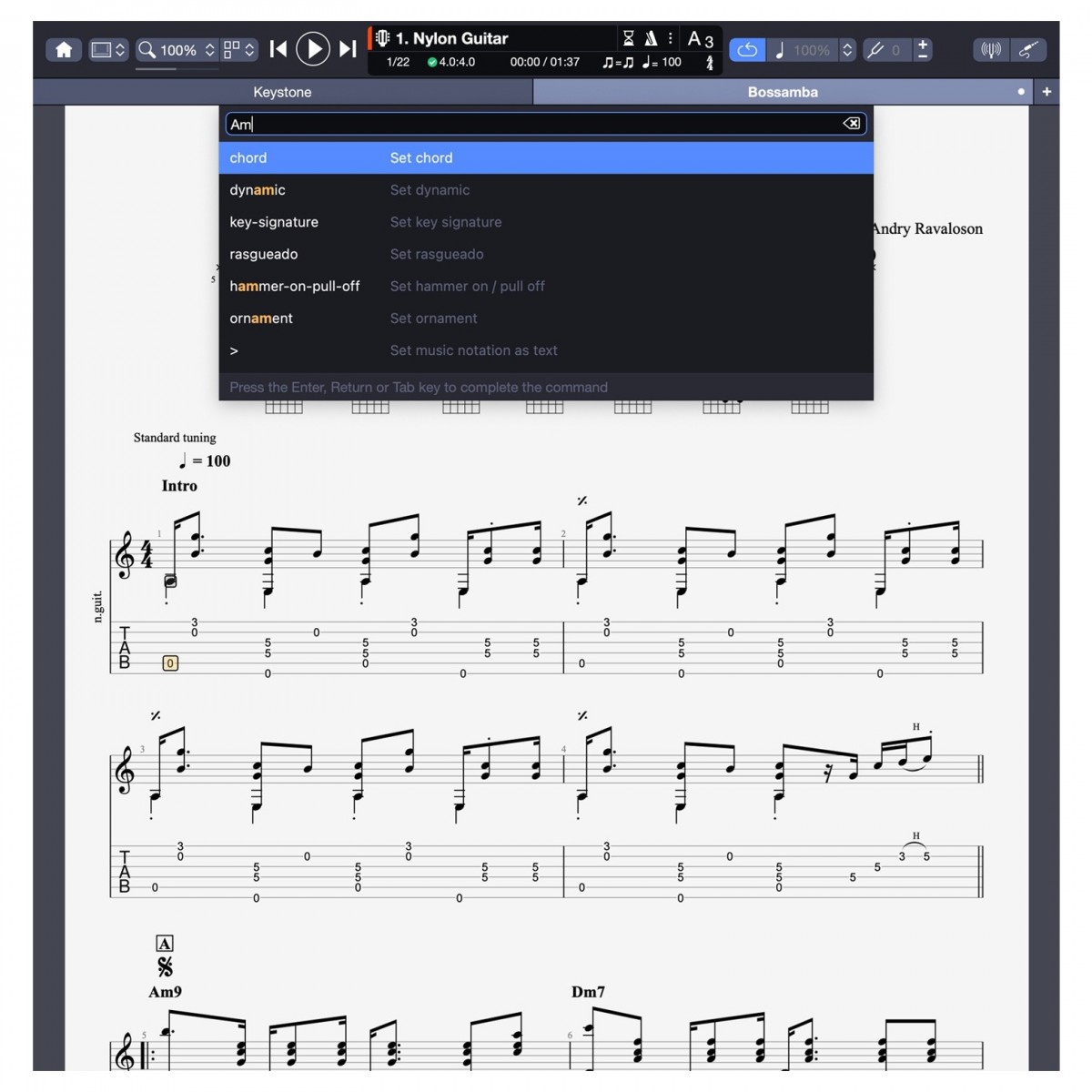
A range of newly introduced scoring features offers more flexibility and detail than ever before. Nested Tuplets are introduced as a new rhythmic pattern and can be accessed by the newly introduced Command Palette. This Command Palette helps you supercharge your productivity by giving you access to virtually every command in a simple and intuitive search bar, helping to increase your editing speed to get songs notated quicker. Every note of your notation can now be accessed, allowing you to apply an offset, note duration or velocity changes per note to create a completely customised score that leaves no room for interpretation. Along with this impressive range of new additions, Guitar Pro 8 features an improved performance on less powerful machines as well as integration with Apple Silicone M1 systems, ensuring complete functionality on virtually any machine.
Write, Play, Mix
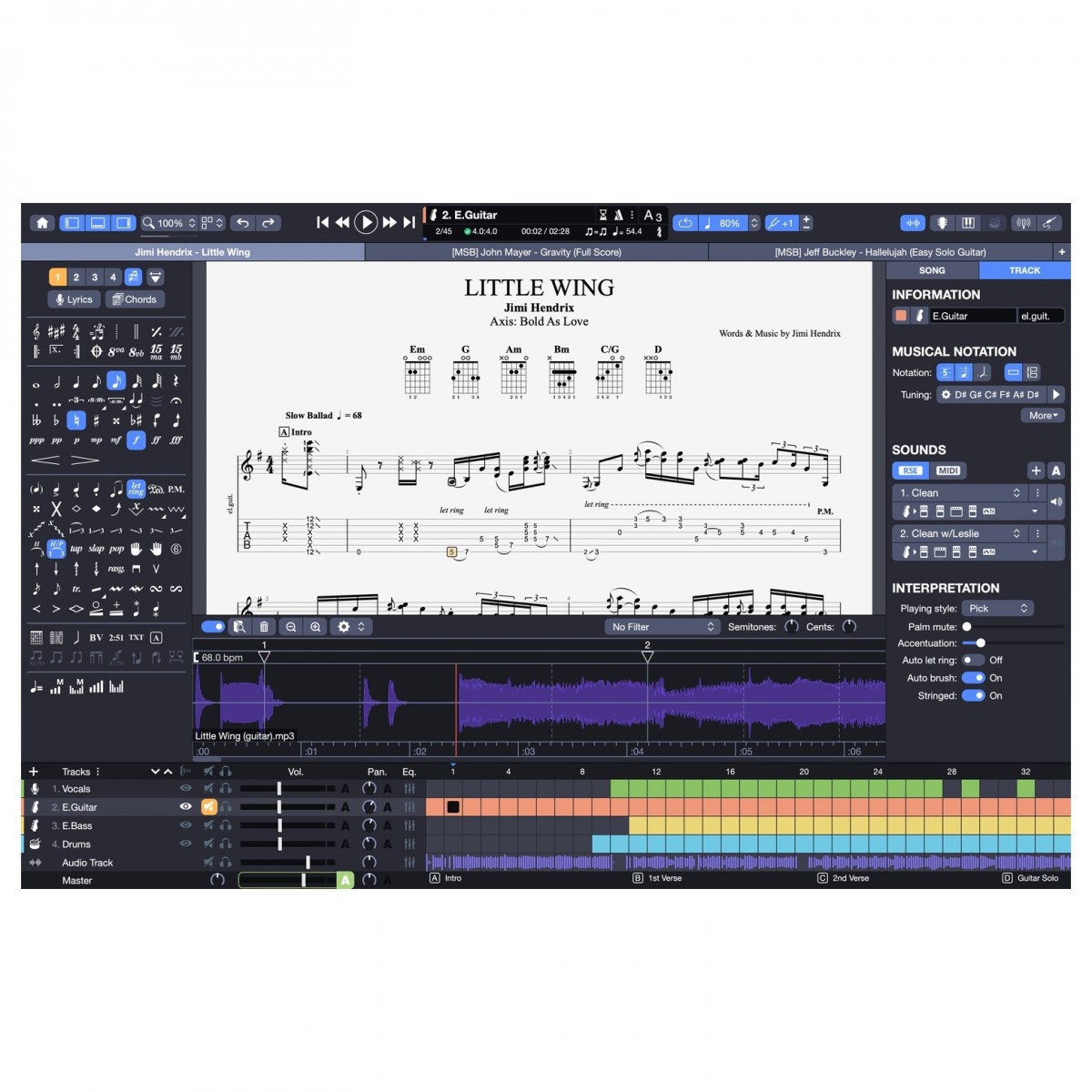
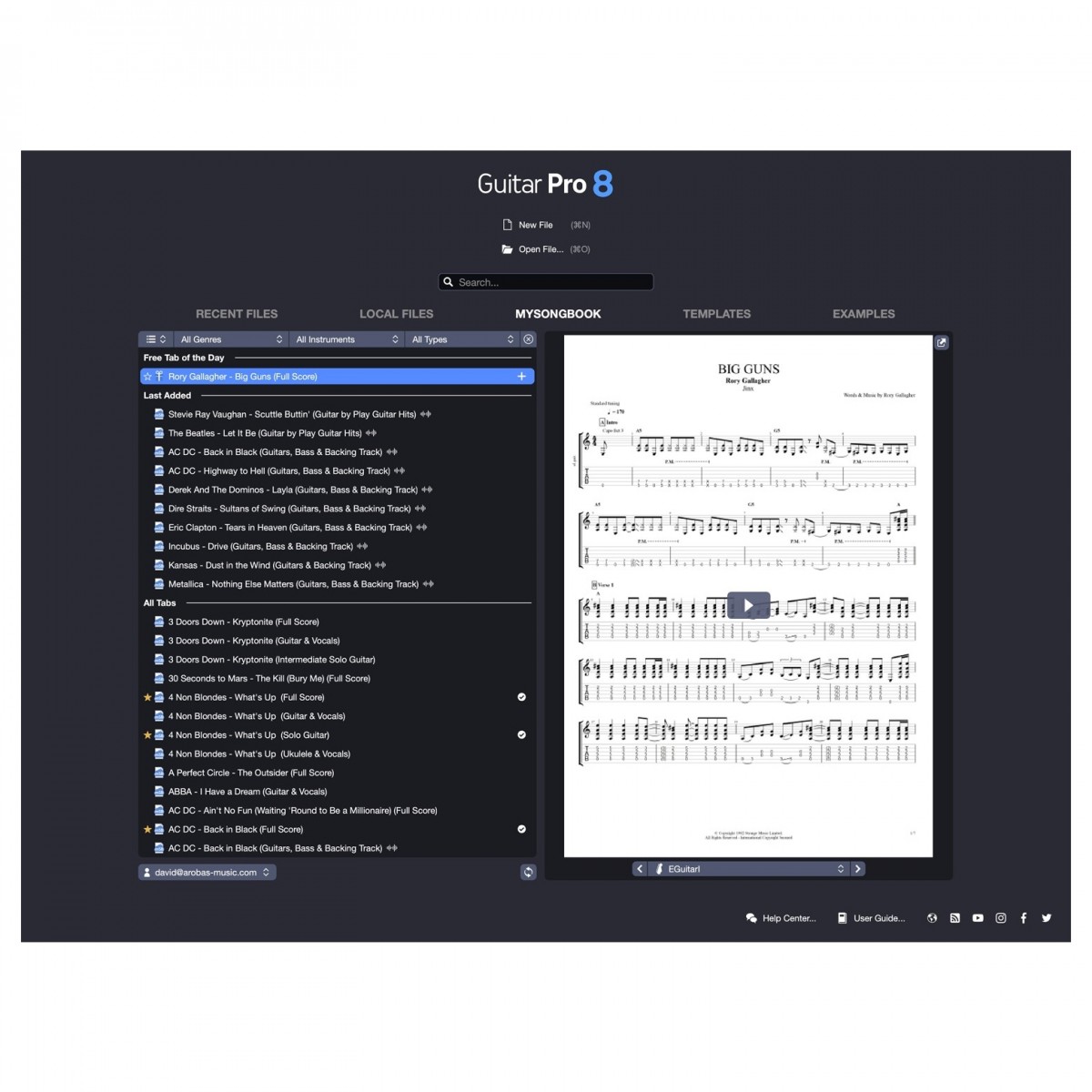
Guitar Pro allows you to compose and read music scores using the musical notation of your favourite instrument. Display tablature and learn songs with every notation prompt you need to learn chords, scales and rhythms. With thousands of tabs to choose from on the mySongBook website, you can play along to your favourite music with a realistic sound engine. This realistic sound engine reproduces all the specific effects for your chosen instrument and inspires you to perform to your best. A crystal clear display lets you easily view all of the notation and performance effects on screen and the included trainer section lets you loop sections with increasing tempo until you get the section nailed.
Comprehensive toolset for composing music
For musicians of any skill level, Guitar Pro 8 offers a complete set of tools for composing your music. All displayed with the signature clean and easy to read look that Guitar Pro is known for, you can use these tools to help you with your composition to get ideas and musical theory ideas or use them to store all of the notation elements of your music to show to band-mates for their learning.
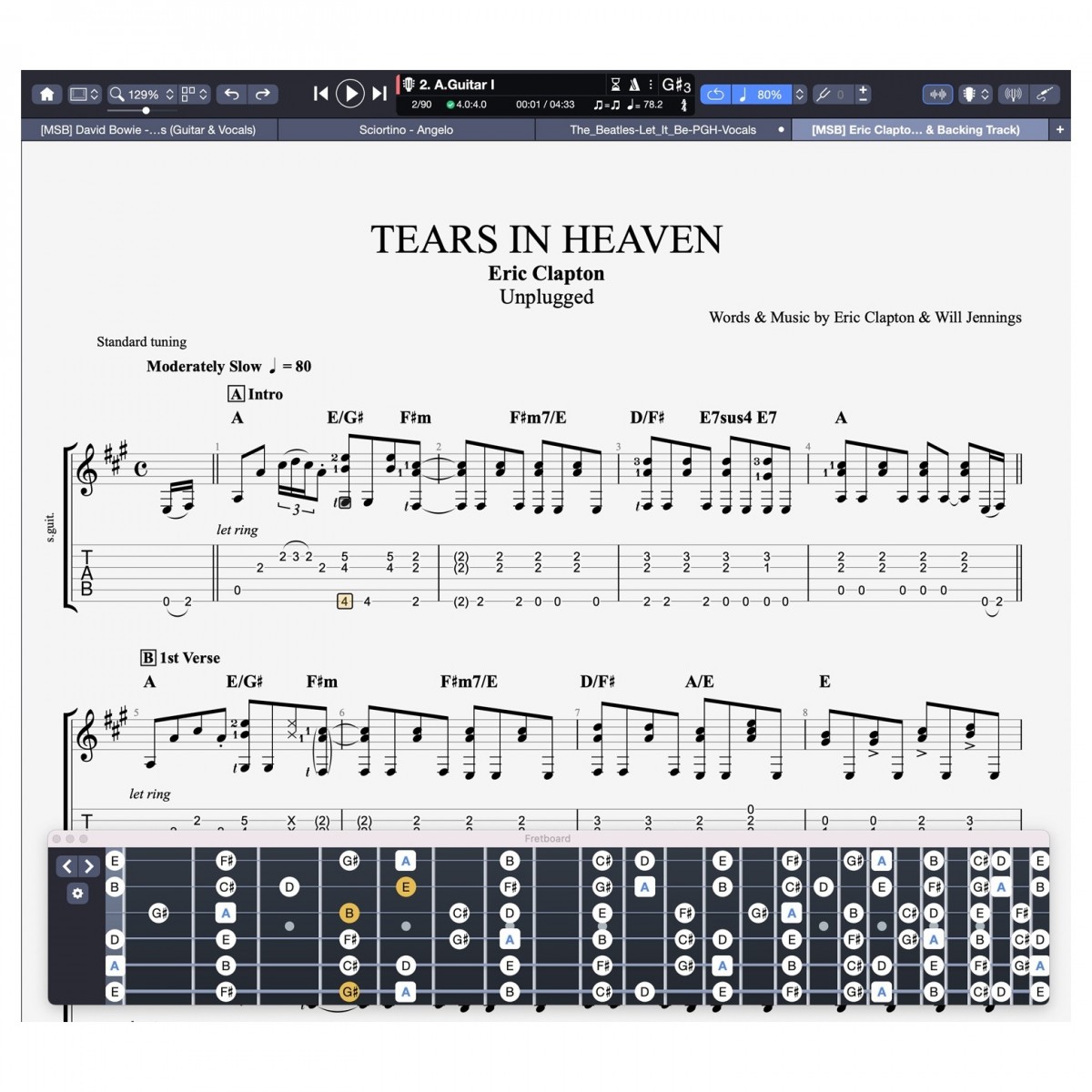
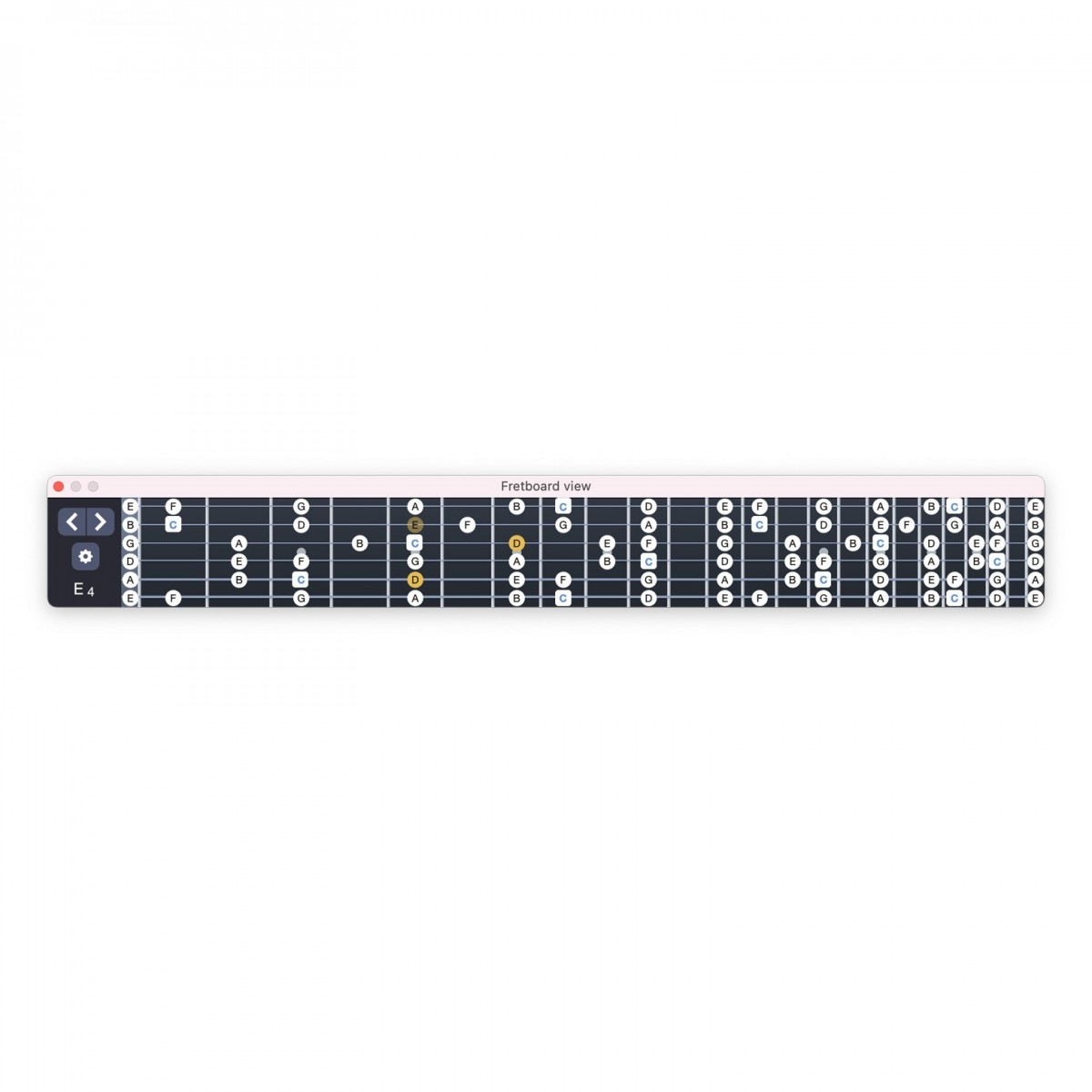
A comprehensive selection of Chords are embedded into Guitar Pro 8. Search for any chord and Guitar Pro 8 will display all possible positions on the fretboard. You can save these positions and highlight them to see all corresponding names of the chords in your relative key. As well as chords, you have access to virtually every known scale imaginable. Use this tool to listen to scales closest resembling your music to give you ideas and foundational knowledge of the notes that can be used within your melody, solo or bass line. For added clarity, using the high-definition on-screen virtual instrument, you will be able to see the notes being played on the fretboard or piano to help you visualise your hand positions.
Of course no song is complete without lyrics. Guitar Pro 8 lets you easily enter the lyrics of your song to arrange them in your window, allowing you to use them as a guide for tempo and rhythm for the rest of your band-mates. As well as lyrics, you can add word notations to sections that may need explanation or use as collaboration points with other musicians.
Ideal for beginners, the virtual instruments display shows you the visual representation of your notes on your chosen instrument, whether that's piano, guitar, ukulele, drums or even banjo.
Professional musical scoring
Not only is Guitar Pro 8 the masterpiece of software for guitarists, but it also hosts world-class notation features to create professional musical scores quickly. Offering both traditional score and tablature views, you can edit your music with whatever means you are most comfortable with. All of the usual musical symbols are available for stringed and non-stringed instruments to help you compose the masterpiece you've always dreamt of. Comprehensive MIDI integration within Guitar Pro allows you to quickly edit your notation with MIDI controllers as well as your traditional mouse and keyboard to fit your workflow.
Customize your score with over 70 different parameters and get professional-level paper printouts to use in your rehearsals. Create multitrack scores for a wide range of instruments including guitar, bass, drums, piano, vocal, strings, brass and much more.
For the most demanding of scores, Guitar Pro 8 includes virtually every compositional aspect you will need to let your instruments perform the correct way for your music. Musical notation including rhythm, picking, fingering and playing effects such as palm mutes, harmonics, bends, tremolo, vibrato and much more give you the flexibility you need to make lifelike scores. Of course, you can also edit the sheet composition by adjusting bar length, repetition, key signature and more.
Audio input
Feeling inspired to learn and perform is vital in delivering the best performance. New to Guitar Pro 8 is the ability to take an audio input to effect a signal using the realistic sound engines found within Guitar Pro. Get professional-quality sounds inside the software without needing to load up external plug-ins! To do this, you will need an audio interface or USB-enabled mixer to connect through your PC to Guitar Pro 8 but with the smooth and simple layout and user-friendly interface, you'll be up and rocking in no time.
Features
- Add audio files to your scores to use as backing tracks, help with notation or to add vocal melodies on top of your performance
- Improved practise tools including Focus track helps you quickly create volume contrasts between instruments to more easily hear your notation
- Newly introduced visual metronome gives you another way to practise to a click-track
- Manually override tempo and signature automations to break down song learning to your pace
- Quickly and easily change the relative speed of playback on the fly
- Lock in your favourite Realistic Sound Engine preset to your line-in input to be instantly recalled even across new sessions
- Hone in and create your perfect tone with newly introduced virtual pedalboard chain
- Detailed customisation of each note in your score including velocity, offset and duration
- Mix your drum kit volume by adjusting the volume and pan of each drum kit element
- Audition realistic sound banks by simply hovering over for quick A/B of different presets
- Automatic guideline allows for quick placement of bars and beats within your score
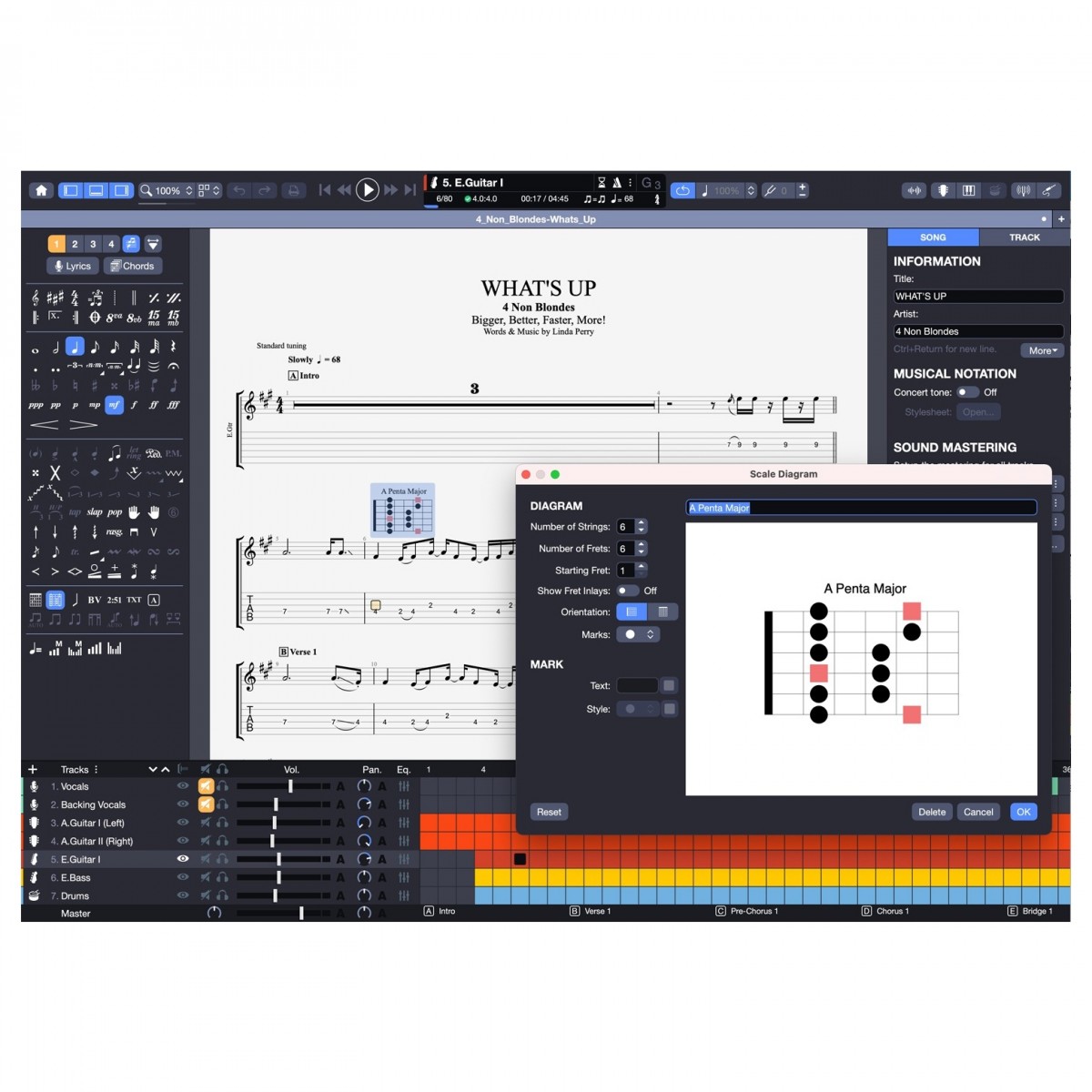
- Updated stylesheet options including font and text options, chord spacings and scale diagrams all directly onto your score
- Updated rhythmic pattern options including nested tuplets
- Customise scale diagrams onto fingerboard patterns and adjust shape, colour and the dot-type representing each digit on your fingerboard
- Increase your productivity with command palette, accessing all notation options via intuitive search bar
- Search through your SongBook quicker than ever by filtering up to three times
- Improved performance even on less powerful machines
- Access to thousands of professionally transcripted tabs through mySongBook
- Load in guitar pro files from any generation and export them with modern formats
- Import and export MIDI files for use in DAWs
- Wide range of import and export options including MusicXML, PDF, PNG, Audio formats and PowerTab
- Complete suite for composing music including tools such as Chord Sheets, Scales, Lyrics section and much more
- MIDI integration lets you create professional scores quickly for several instruments
- Virtual instrument representation let you enter notes using a graphical representation of the instrument for rapid workflow
- Create traditional musical scores inside Guitar Pro 8 for stringed and non-stringed instruments
- Access to a full range of notation elements to add the dynamic performance you need from your score
- Write, play and rehearse your favourite artist's music, or create your own from scratch
- Three notation types include Standard, Tablature and Slash
- Realistic sound engine offers more than 1000 preset sounds using 200 sound banks, 80 effects and amp models
- Create your own customised realistic sound engine to help give the correct tone for your composition
- Improve your technique with a series of tools designed to aid practise, including tempo adjuster, looper, metronome, chord and scale library and virtual instrument graphics
- Lock your files to save from any accidental modification
- Brand new range of instrument sound banks included, no featuring flamenco, 7-string nylon guitars, jazz double bass and much more
- Stereo sounds for all acoustic instruments to give wider space for your solo composition
- Connect your guitar to Guitar Pro and apply the RSE effects for a professional performance tone when playing along with your compositions
- Accurate polyphonic tuner when an instrument is connected to always stay in tune
- Tablature view for every track including voice, drums and even piano
- Enhanced musical performance elements such as pick scrape, muted slap and improved bends
- Sleek and intuitive interface that doesn't overcrowd your screen
- Compatible with high-resolution screens
- Supports scales and chords for up to 10-string guitars
Specifications
System requirements
- Operating system:
- Windows: Windows 8 / 10 / 11 - 64-bit
- Mac: macOS 10.13 or later - 64-bit (M1 compatible)
- Disk space: 2GB
- Line-in: Soundcard (computer) required
- RAM: 4GB
- Processor: 1GHz or faster
- Display: 1280x768
- Installation: Up to five computers allowed
General
- Product code: GP8
| Reviews of our service by customers who bought this item
View all